SagaMobil user app
· projects, app, development
Min Saga — The Saga Mobil customer app
What the app does, how it works behind the scenes, and what you can do with it.
Watch the app in action
What is Min Saga?
Min Saga (Norwegian for “My Saga”) is the customer app for Saga Mobil AS. It lets you manage your mobile subscription without calling customer service — check data usage, buy extra datapacks, turn products on or off, and manage SIM cards, all from your phone.
The experience is built around an aurora-themed visual design: deep forest-green backgrounds with flowing northern-lights-style data visualizations, so usage information feels clear and engaging rather than like a dry utility bill.
| Platform | Where to get it |
|---|---|
| iOS | App Store |
| Android | Google Play |
Features at a glance
For individual subscribers
| Feature | What it does |
|---|---|
| SMS login | Enter your 8-digit Norwegian mobile number; receive a 4-digit code by SMS. No password to remember. |
| Data dashboard | Live view of used vs. remaining data, with an animated aurora gauge and usage history. Pull down to refresh. |
| Buy datapacks | Browse available packages and pay with Vipps in a few taps. Balance updates after payment. |
| Products | Turn mobile add-ons on or off (e.g. call forwarding, number display settings). |
| SIM cards | View main, data, and twin SIMs; order eSIM; activate cards; soft/hard block; manage call forwarding. |
| Account info | Name, address, contact details; update from Vipps where supported. |
| Languages | Norwegian (Bokmål), English, and Davvisámegiella (Northern Sámi). |
For families and businesses (“Min Familie” / “Mitt Firma”)
If you are the account owner or have been granted manager access, additional areas unlock:
| Feature | What it does |
|---|---|
| All subscriptions | List every number on the account with usage bars and invoice trends. |
| Represent a user | Act on behalf of a specific subscription (view usage, products, SIMs). |
| Change plans | Switch subscription plans for managed numbers (within allowed rules). |
| Invoices | Open, paid, and usage-type invoice lines; view or download PDFs (native share sheet on mobile). |
| Owner permissions | Delegate manager rights to other users on the same account. |
| Vipps verification | Sensitive manager actions require a fresh Vipps identity check in the session. |
For Saga Mobil operators
A built-in admin panel (restricted to authorised staff) supports configuration without releasing a new app version: product visibility, featured items, plan-change rules, support impersonation, audit logging, and more.
Screenshots
Dashboard — data at a glance
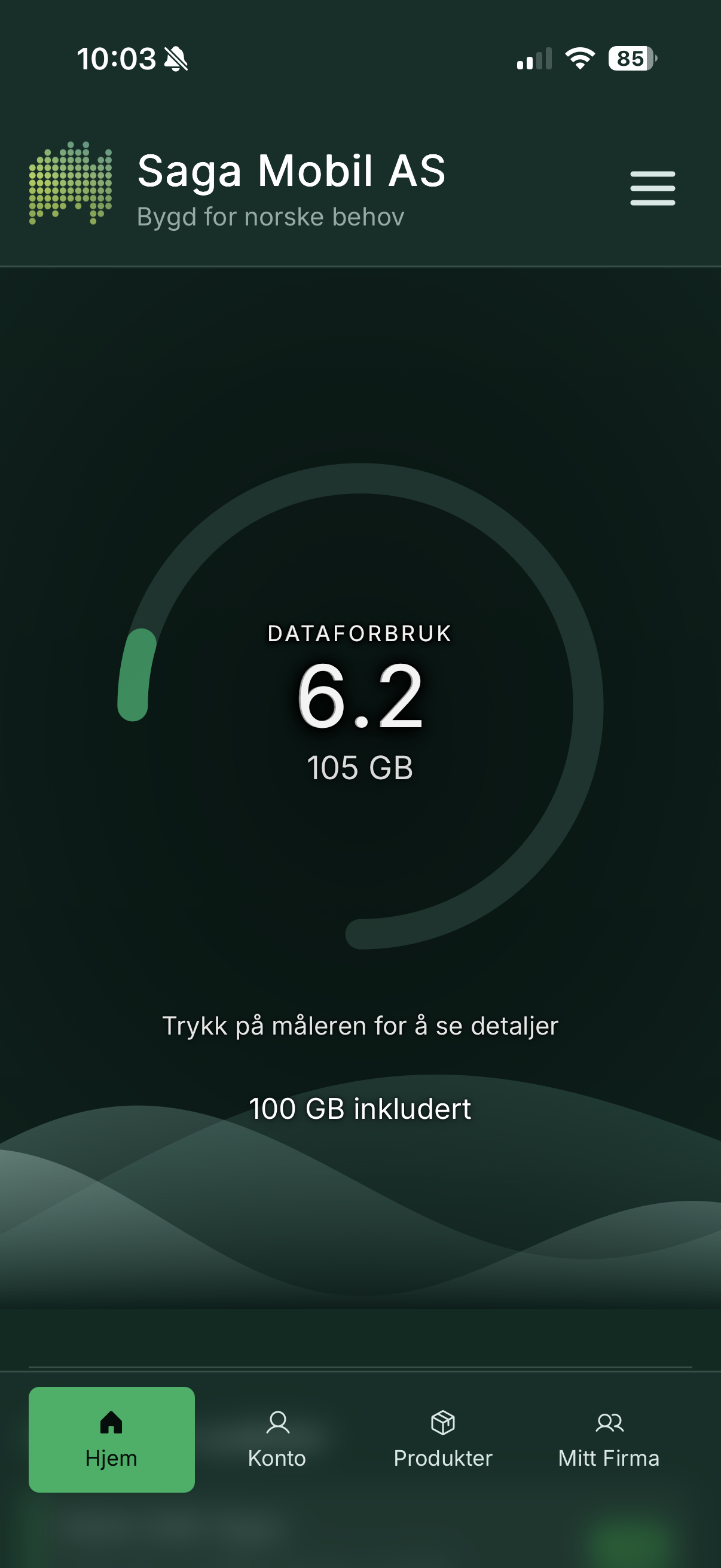
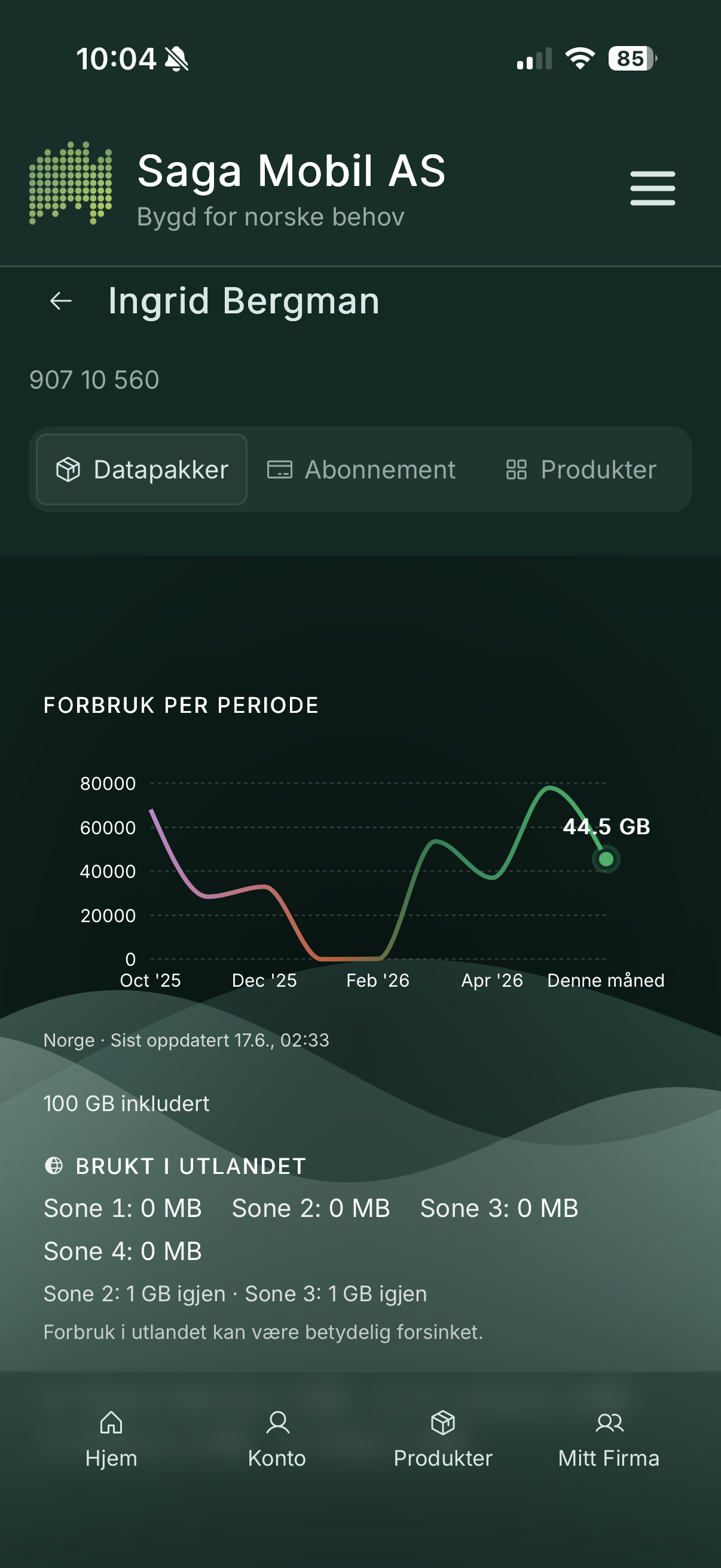
The home screen shows remaining data as an aurora visualization with clear GB numbers.
Buy a datapack with Vipps
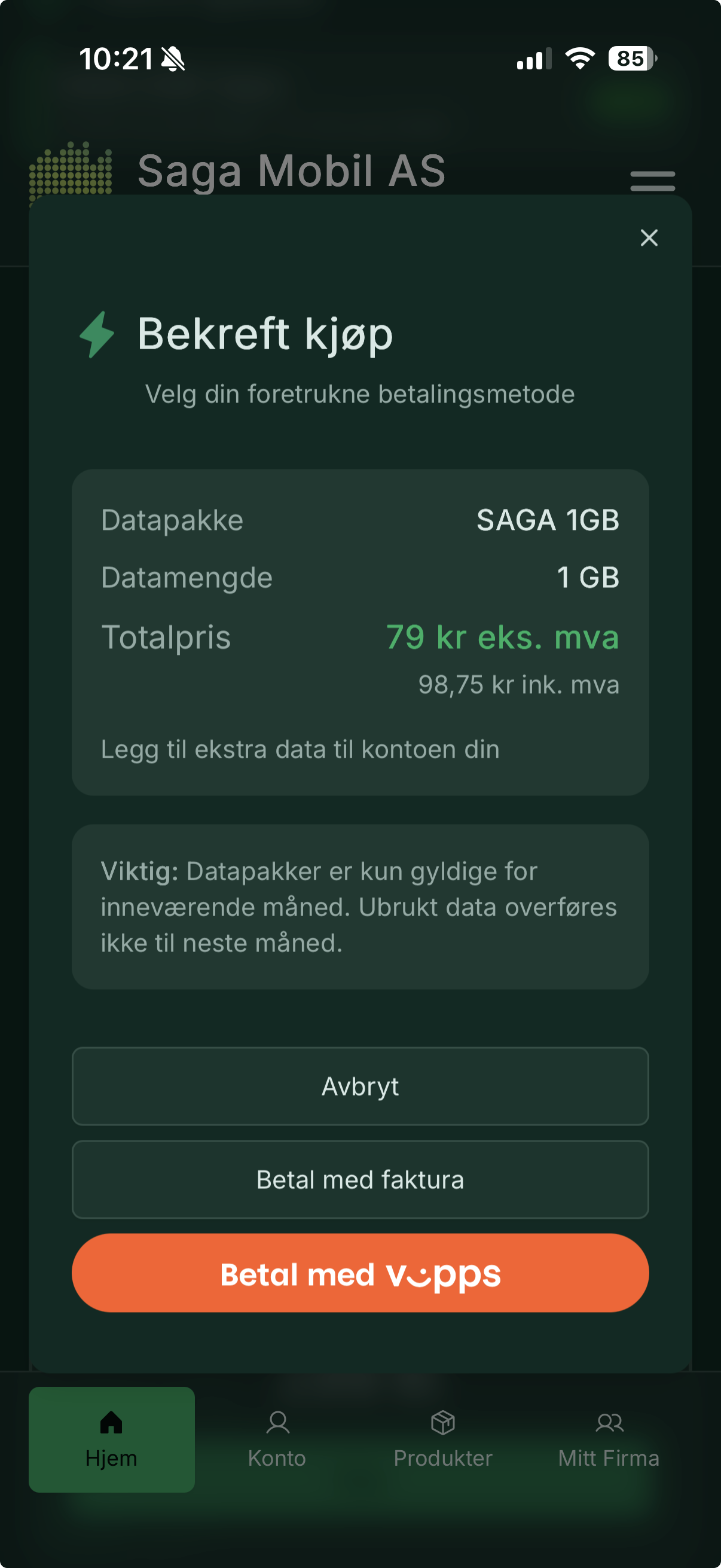
Select a package, confirm, and complete payment in the Vipps app.
Mitt Firma — manage many subscriptions
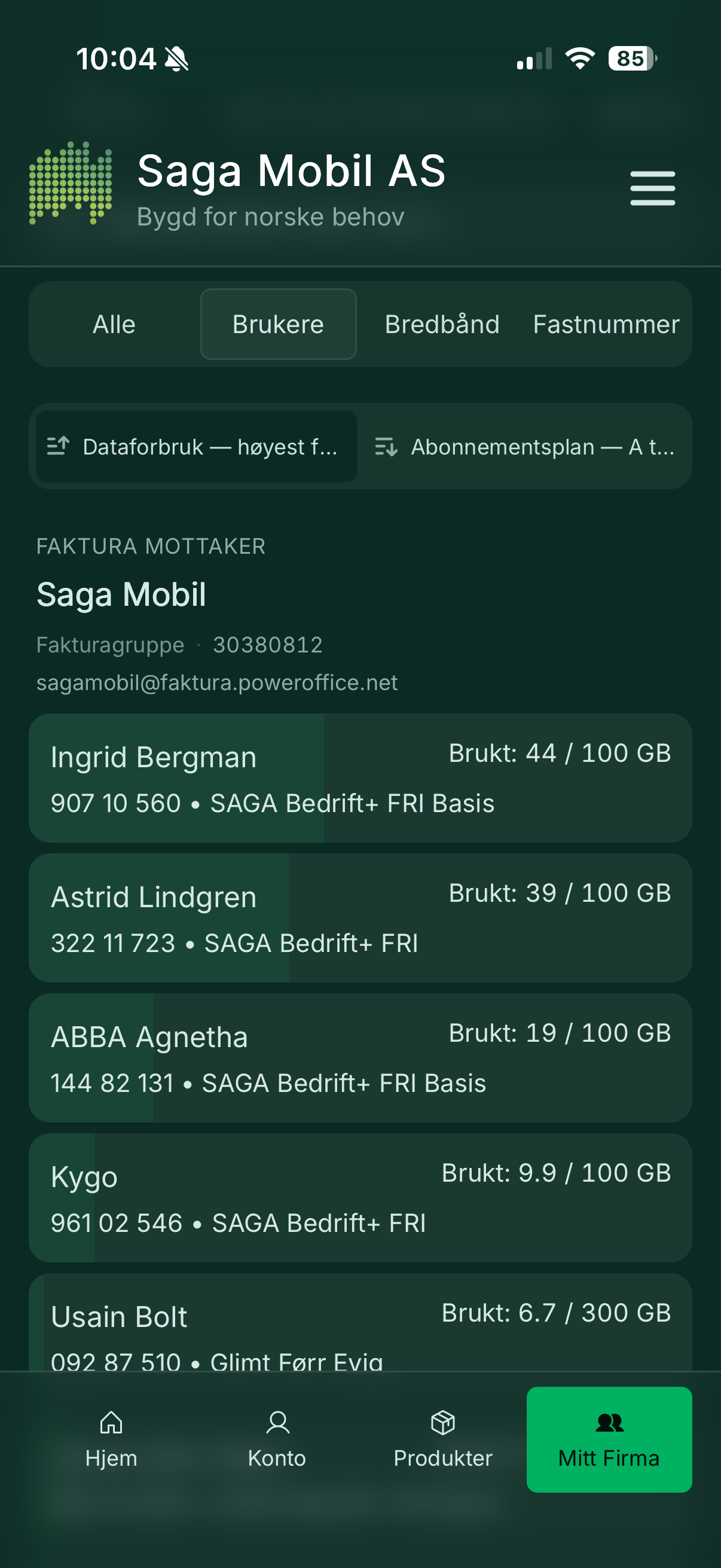
Business account owners see all numbers, usage, and invoice history in one place.
SIM card management
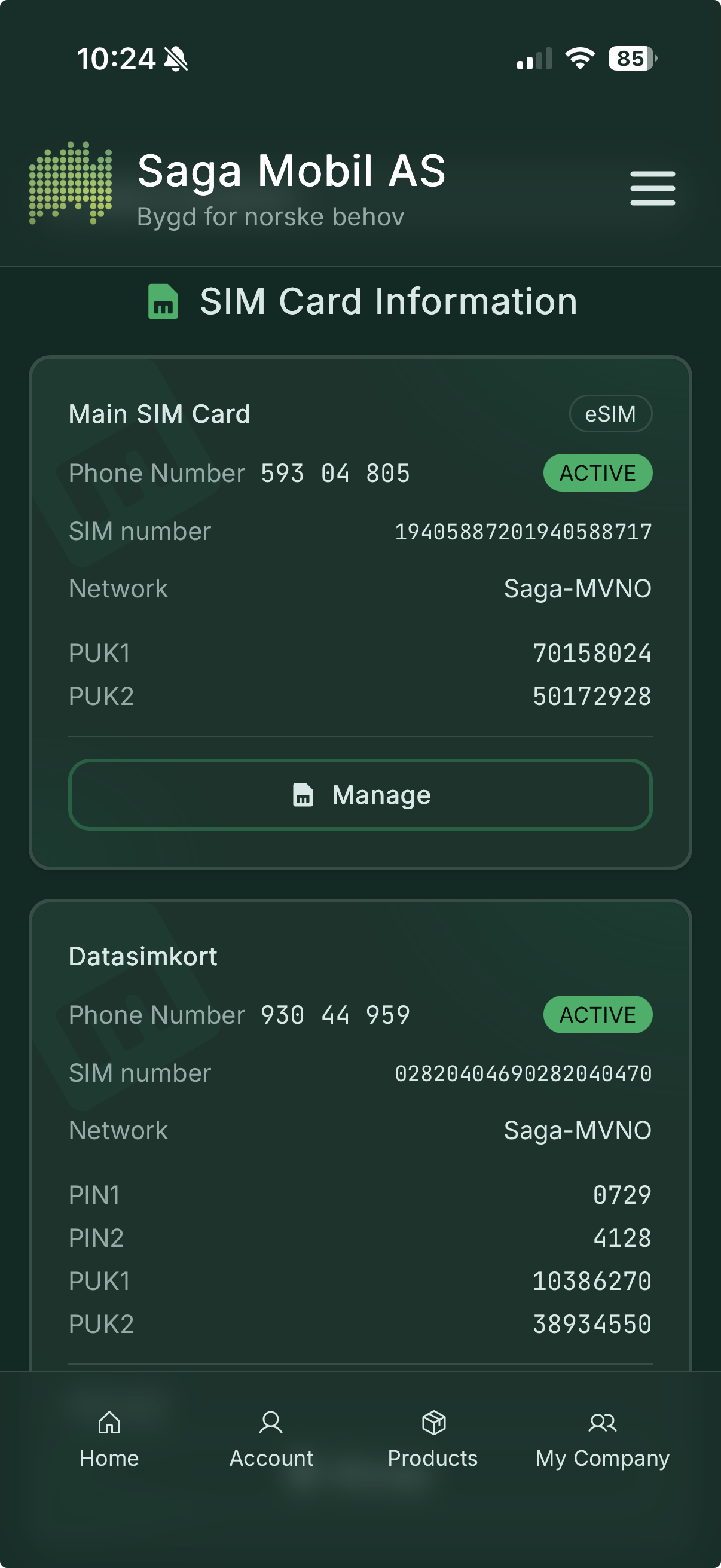
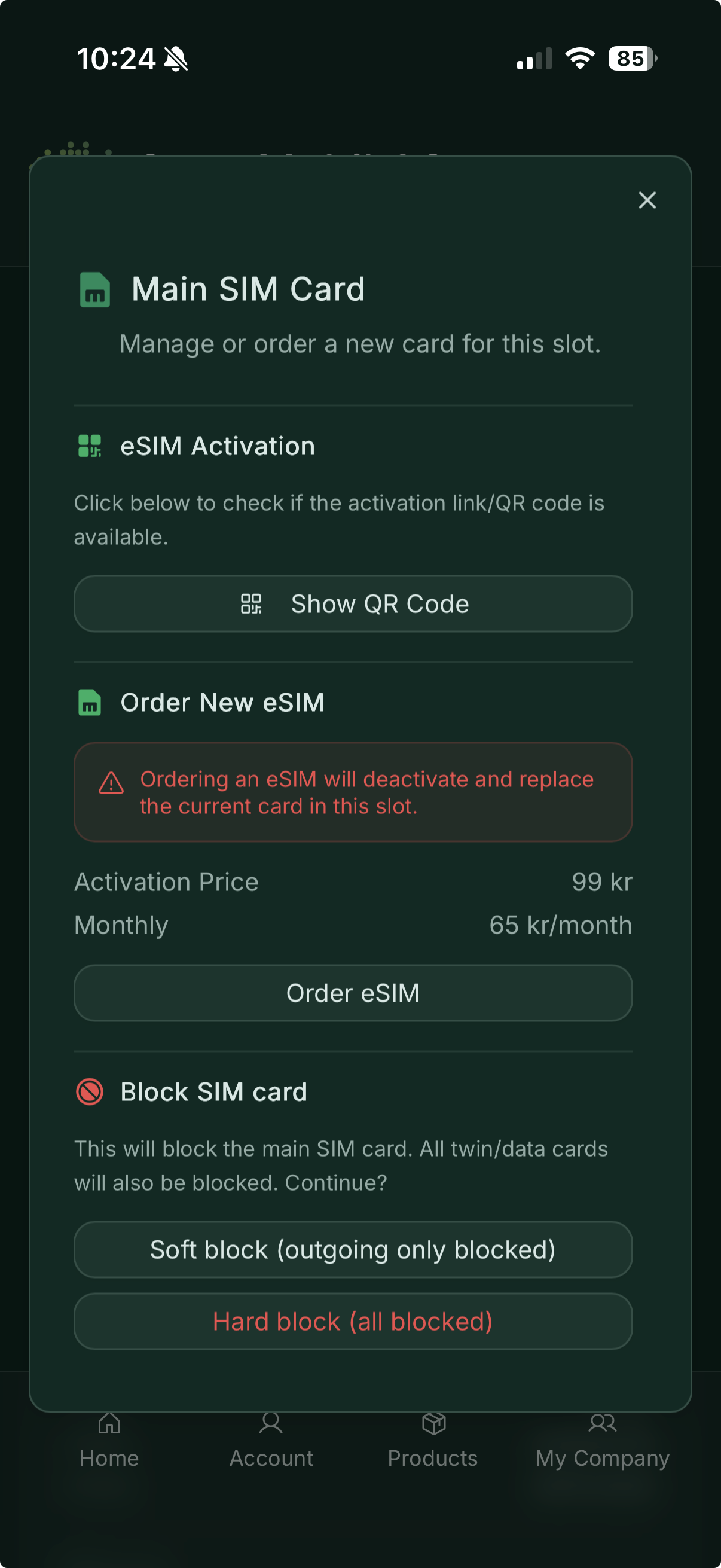
Order eSIM, activate cards, or block a lost SIM.
How it works — the big picture
When you open Min Saga on your phone, the app talks securely to Saga Mobil’s API — a Go service running in Docker on our servers. The API sits between you and Saga Mobil’s billing platform (eRate), handling login, security, and Vipps payments so your subscription data stays protected.
The iOS and Android apps are built with Capacitor, which packages the same interface into a native app for each platform while keeping one shared codebase.
flowchart TB
    subgraph phones["Your phone"]
        IOS["Min Saga — iOS"]
        AND["Min Saga — Android"]
    end

    subgraph saga["Saga Mobil servers"]
        API["API<br/>Go, running in Docker"]
        DB[("MariaDB<br/>sessions and app data")]
    end

    subgraph partners["Partner services"]
        ERATE["eRate<br/>subscriptions, usage, products"]
        VIPPS["Vipps<br/>payments and identity"]
        SMS["SMS<br/>login codes"]
    end

    IOS -->|Secure connection| API
    AND -->|Secure connection| API
    API --> DB
    API --> ERATE
    API --> VIPPS
    API --> SMS
A typical visit — from login to buying data
sequenceDiagram
    actor You
    participant App as Min Saga
    participant API as Saga Mobil API
    participant SMS as SMS
    participant eRate as eRate
    participant Vipps as Vipps

    You->>App: Enter phone number
    App->>API: Request login code
    API->>SMS: Send 4-digit code
    SMS-->>You: SMS with code
    You->>App: Enter code
    App->>API: Verify code
    API->>eRate: Look up subscription
    API-->>App: You are logged in

    You->>App: Open dashboard
    App->>API: Fetch data usage
    API->>eRate: Get current usage
    API-->>App: GB used and remaining
    App-->>You: Aurora gauge updates

    You->>App: Buy a datapack
    App->>API: Start Vipps payment
    API->>Vipps: Create payment
    You->>Vipps: Approve in Vipps app
    API->>eRate: Activate package
    API-->>App: Purchase complete
    App-->>You: Updated data balance
Where everything runs
flowchart LR
    subgraph users["Users"]
        IOS[iPhone]
        AND[Android]
    end

    subgraph saga["Saga Mobil infrastructure"]
        LB["Secure gateway"]
        API["API service<br/>Docker"]
        DB[("MariaDB")]
    end

    subgraph external["External services"]
        E[eRate]
        V[Vipps]
        S[SMS]
    end

    IOS --> LB
    AND --> LB
    LB --> API
    API --> DB
    API --> E
    API --> V
    API --> S
The app itself is installed from the App Store or Google Play. All subscription actions go through the API, which reads and updates your account via eRate and handles payments through Vipps.
Design and accessibility
- Dark-first UI on deep forest green with aurora accent colours
- Mobile-first — thumb-friendly navigation, bottom tabs, and safe-area support on notched phones
- Accessible contrast for text and buttons in both light and dark use
- Three languages — Norwegian, English, and Northern Sámi
In short
Min Saga is your Saga Mobil pocket assistant: see how much data you have left, top up with Vipps, manage SIM cards and products, and — for families and businesses — oversee every number on the account. Aurora visuals, Norwegian roots, and a secure path through Saga Mobil’s own API to eRate and Vipps.
Saga Mobil AS — Min Saga